
Robocat Casino – Login, Registration and Verification Guide
If you want to jump into Robocat Casino without headaches, you will only need one account, a quick registration and a short verification step to unlock full withdrawals.
Let’s walk you through every stage so you always know what to click next and why it matters for your money and security.
Getting Started with Robocat Casino Registration
You can only open a Robocat account if you are at least 18 and online gambling is legal where you live.
Registration happens through a single form, and the account must be in your real name, with correct personal data that you keep up to date.
Creating Your Account
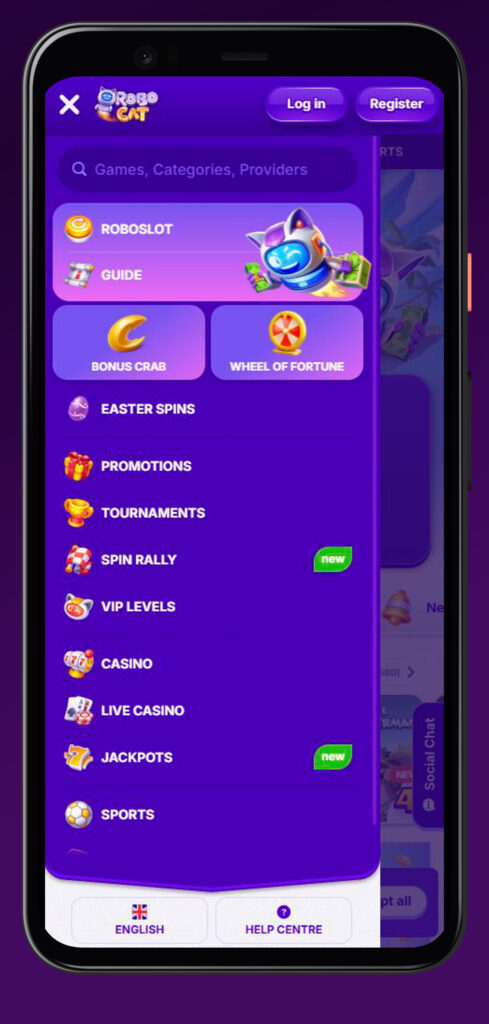
When you hit the “Register” button in the Robocat Casino header, you will see a standard sign-up form that creates your personal Robocat profile.
You will need to accept the General Terms and Conditions and confirm that you are acting on your own behalf and not using the site on behalf of anyone else.
Basic steps to open your account
- Enter your email, create a password and add your full name exactly as in your ID.
- Confirm that you are over 18 and legally allowed to gamble online in your country.
- Submit the form and verify your email address if prompted in the welcome flow.
Once this is done, you have a fully working Robocat Casino login you can use on any device.
Registration via PlayID
Here is the thing: Robocat may also allow simplified registration via aggregated IDs like PlayID if such an option is enabled for your region in the future.
In that case, you would link your existing ID provider instead of filling every field manually, but all Robocat rules and age checks would still apply.
If extra verification is needed after a fast sign-up, Robocat’s team can request documents before withdrawals.
Required Personal Information
To keep Robocat Casino safe and compliant, we must collect a core set of personal details when you register.
You promise that everything you enter in the registration form is true and complete, and that you will update it if something changes later.
Key data you will usually provide
- Full name, date of birth and country of residence.
- Address and contact details, like email and sometimes phone number.
- Confirmation that you are not using funds from illegal sources and are playing for yourself only.
Bottom line, the cleaner and more accurate your details are, the smoother your Robocat verification and withdrawals will be.
Account Verification Process
Now, to unlock bigger withdrawals and keep everything secure, Robocat must verify your age, identity, address and sometimes your payment methods.
We can run extra checks both before deposits and when you request payouts or trigger risk alerts.
KYC Documents Required
You will be asked to send properly certified documents once we need to confirm who you are or how you fund your account.
Until these checks are done, Robocat can withhold payments or temporarily suspend the account.
Typical KYC documents:
- Government ID, like a passport, driving licence or national ID card.
- Proof of address, such as a utility bill, bank statement or rental agreement.
- Proof of payment method ownership, like a card statement or e-wallet statement used to deposit.
We might also use approved third-party services and fraud prevention tools to validate your data against public and private databases.
Verification Timeline and Requirements
Once we ask for documents, you usually have up to 30 days to provide everything we need.
If you do not upload the files in time, Robocat can close your account and keep it locked, including any balances tied to unresolved checks.
How timing typically works:
- You send all the requested documents in one go so our team can review them.
- Robocat generally completes verification within about 10 days after receiving the full package, although complex cases may take longer.
- We may delay withdrawals while we double-check your identity, funds source and compliance with the Terms.
If we ever suspect fraud or illegal activity, Robocat can block the account, cancel withdrawals and contact authorities.
Uploading Your Documents
You will normally upload documents through a secure section of your account or send them as instructed by support.
All data is handled under our Privacy Notice and used strictly for compliance, security and payment processing.
Tips for smooth uploads:
- Make sure photos or scans are clear, not cropped and show all four corners of the document.
- Check that the document is valid, not expired and matches the details on your account.
- Respond quickly if our team asks for a better copy or additional pages to speed things up.
Honestly, once KYC is done, future withdrawals at Robocat tend to move much faster.
Logging In to Your Robocat Account
Once your Robocat account is created, you can log in from desktop or mobile using the same credentials.
Any session that uses the correct username and password is treated as you, so you should never share these details with anyone.
Standard Login Process
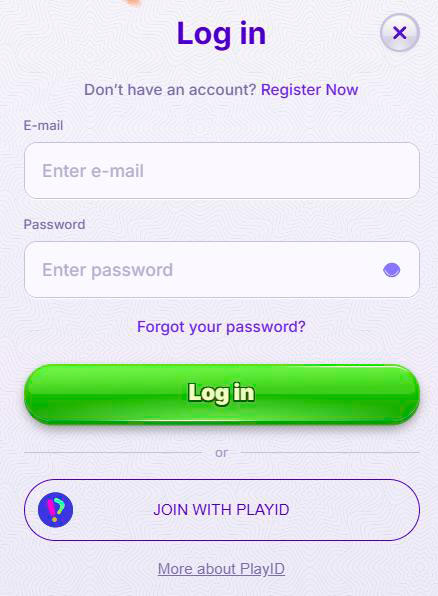
The “Log in” button is always visible in the header of the site, so you can access it from any page.
You just enter your Robocat Casino registered email or username plus your password and confirm.
Standard Robocat Casino login steps:
- Click or tap “Log in” at the top of the screen.
- Type in your Robocat Casino username/login and password, being careful with spelling and caps lock.
- Confirm the form and optionally keep the session active in your browser if the device is private.
If someone logs in to Robocat with your correct credentials, every bet and transaction will be considered valid, so keep everything private.
Password Recovery Options
If you forget your password, do not panic; you are not locked out forever.
You can use standard recovery tools to reset credentials through your email and get back in.
Typical recovery routes
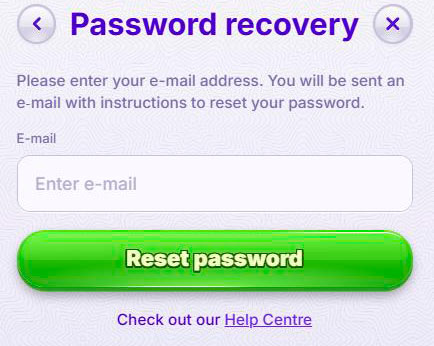
- Use the “Forgot password” link at login to request a reset email.
- Follow the secure link in that email to create a new strong password for your Robocat account.
- Contact support from your registered email if you cannot access the mailbox or face other issues.
Big plus, our Help Centre and live chat are always listed in the footer if you need human assistance with access problems.
Account Security and Management
Robocat takes security seriously; you are also responsible for how you handle your Robocat Casino login and account.
You must act in your own name only, never for others, and you must keep all credentials secret.
Username and Password Requirements
Your Robocat Casino account has to be protected with a unique combination of username/login and password.
We strongly recommend a long password that you do not reuse on other websites and never share with third parties.
Key security rules:
- You must not share or sell your Robocat Casino login data or allow others to play under your account.
- You are fully responsible for all actions performed using your username and password.
- If you suspect someone else has access, change your password immediately and contact support.
Robocat will not be liable for losses caused by someone using your correct credentials, so treat them like your banking details.
One Account Policy
Here is the thing: you can only have one Robocat account across all our brands and platforms.
We monitor for duplicates based on email, address, phone number, device, IP and other signals.
What counts as a duplicate:
- More than one account per person, household or IP address.
- Accounts opened with fake names or alternative credentials to bypass limits or bans.
- Extra accounts are used to abuse promotions, bonuses or withdrawal rules.
If we find duplicate accounts, Robocat can close them, void winnings, reverse withdrawals and exclude you from bonuses.
Troubleshooting Login Issues
If you cannot log in to Robocat, start by checking the simple stuff like caps lock, keyboard language and that you are using the correct email.
You should also confirm that your account is not from an excluded jurisdiction listed in the Terms, since those accounts cannot be used.
Common Robocat login problems and quick checks:
- Wrong password or username, solved via password reset and careful re-entry.
- Account temporarily suspended due to KYC, security or responsible gaming checks.
- Blocked account if we suspect fraud, multiple accounts or other serious violations.
If nothing works, just contact our support team through the Help Centre or email support@robocat.com from your registered address so we can investigate.
Conclusion
Bottom line, signing up to Robocat Casino is quick, but it comes with strict rules about age, identity and having only one account.
If you keep your details accurate, pass KYC on time and protect your Robocat login, you will enjoy smooth play and faster withdrawals with far fewer interruptions.

FAQ
No, only one account per person, household address, phone/email and IP address is allowed, and all duplicates can be closed with winnings voided.
We must verify your identity, age, address and payment method ownership to follow regulations, fight fraud and safely process withdrawals.
Once you send everything we ask for, we usually complete checks within about 10 days, although complex cases can require more time.
If requested documents are not provided within 30 days, Robocat can keep withdrawals on hold and even permanently close your account.
Change your password immediately, contact support and remember that any activity done with the correct Robocat login and password is normally treated as yours.